Unity 6 · URP 17+ · RenderGraph
UI Blur Pro for URP
Real-time blur for Unity
Six background blur algorithms for frosted glass panels, world-space surfaces, and dynamic glass effects — built natively on the URP RenderGraph API. No GrabPass. No extra cameras.
Screenshots
See it in the Editor
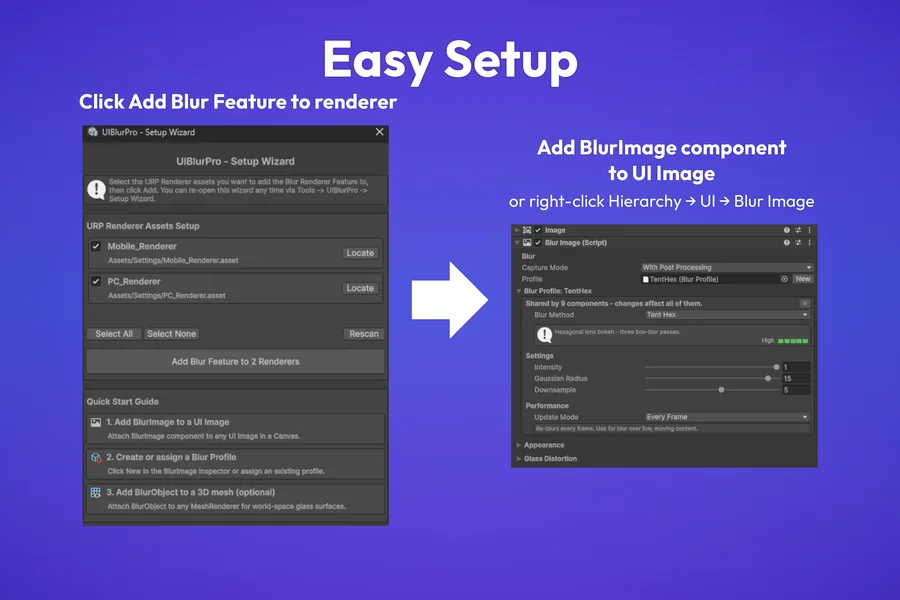
Easy Setup — Setup Wizard adds the renderer feature, then drop BlurImage on any Image.
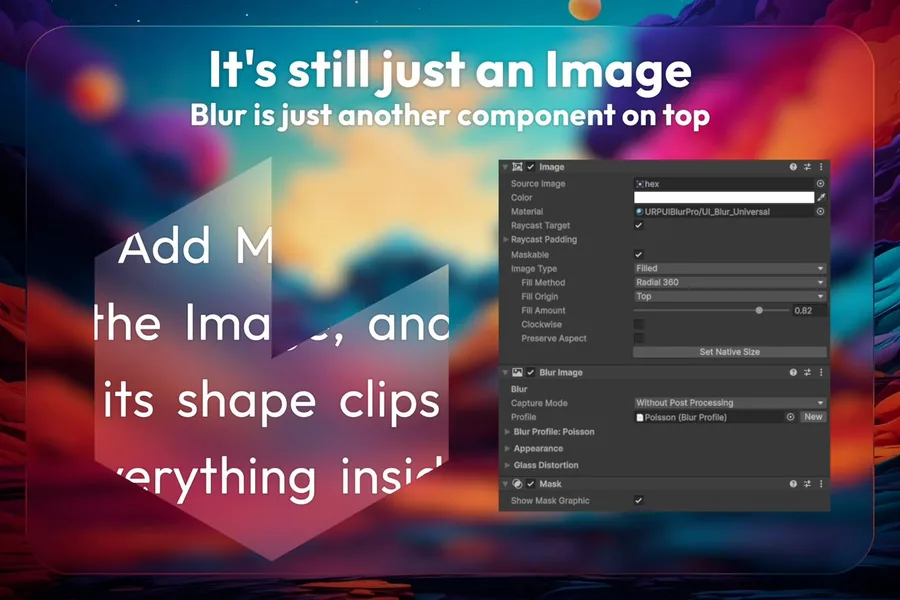
Still just an Image — BlurImage sits on the same GameObject, clips with the Image's own shape.
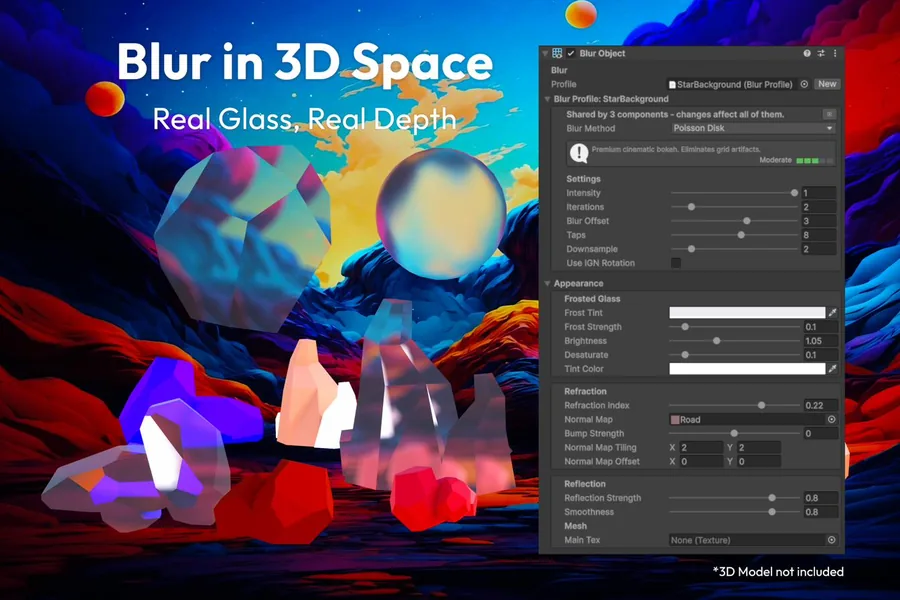
Blur in 3D Space — the same profiles drive real glass on 3D meshes, with refraction.
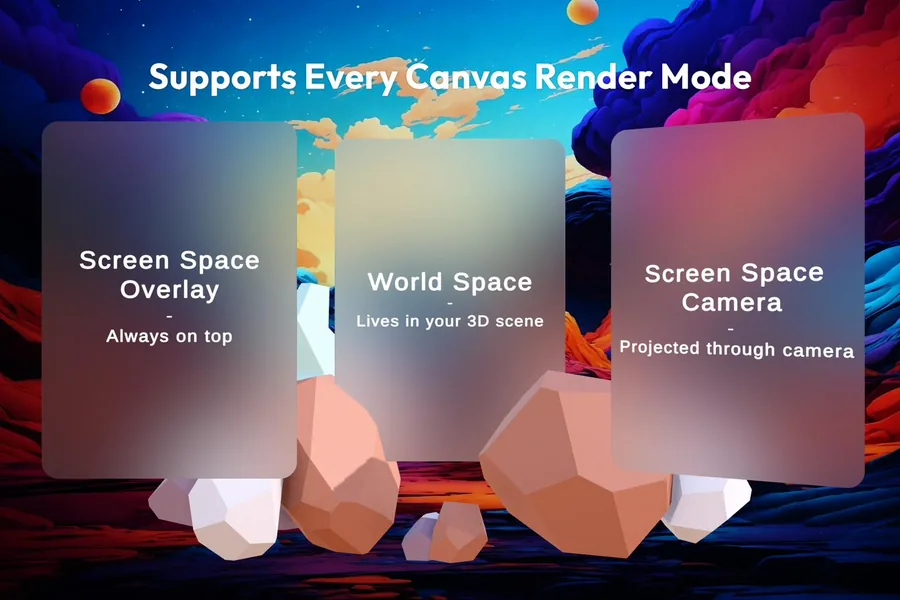
Every Canvas Render Mode — Overlay, Camera, and World Space all supported.
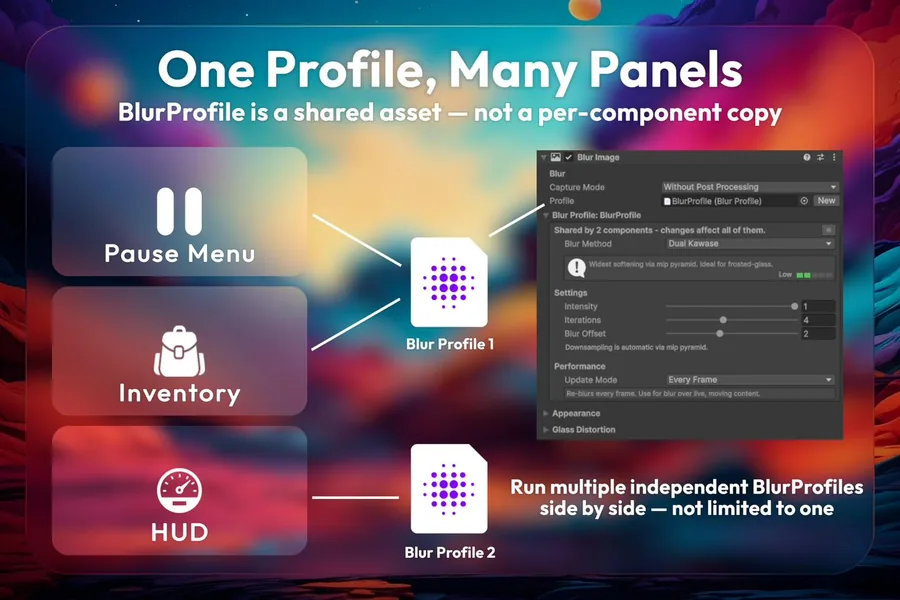
One Profile, Many Panels — share a BlurProfile across panels at zero extra GPU cost.
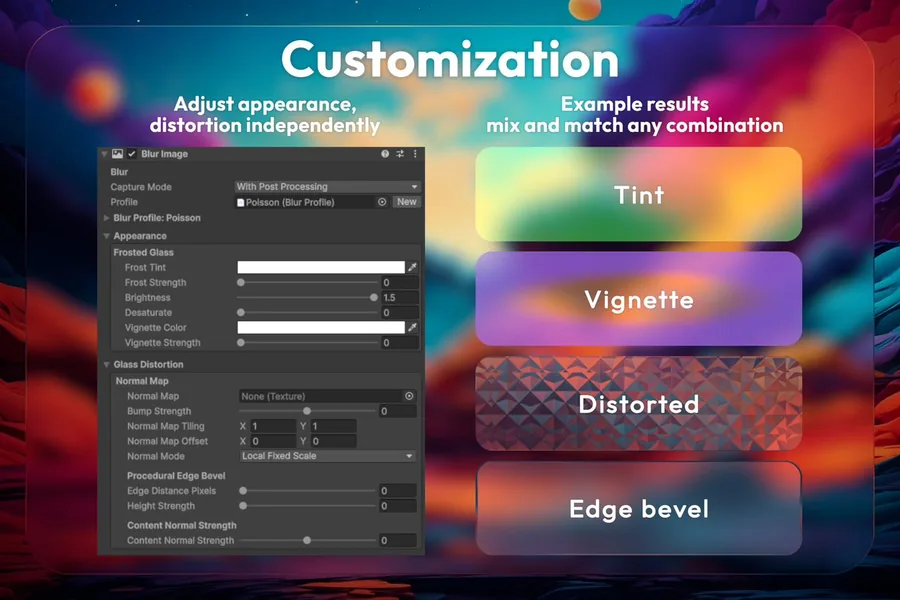
Customization — tint, vignette, distortion, and edge bevel, mixed independently.
Blur methods
Six algorithms, one system
DualKawase
Dual Kawase
Down/up mip pyramid — widest blur radius at the lowest cost. The go-to for frosted-glass UI panels.
CustomKawase
Custom Kawase
Circular ring blur with 3–12 tunable taps. CPU-precomputed directions — zero trig per pixel.
PoissonDisk
Poisson Disk
Cinematic bokeh look via Poisson disk sampling. Eliminates grid patterns even at heavy downsample rates.
GaussianSeparable
Gaussian Separable
Mathematically exact Gaussian circle in two separable passes. Visually perfect at moderate radii.
TentHex
Tent / Hex
Three box-blur passes at 0°/60°/120° producing a hexagonal lens bokeh. Best for cinematic moments.
Radial
Radial
Single-pass zoom-burst blur — pulls samples toward a focal point, with IGN dithering to hide banding along the streaks. Directional streaks, not bokeh — built for impact flashes and energetic transitions.
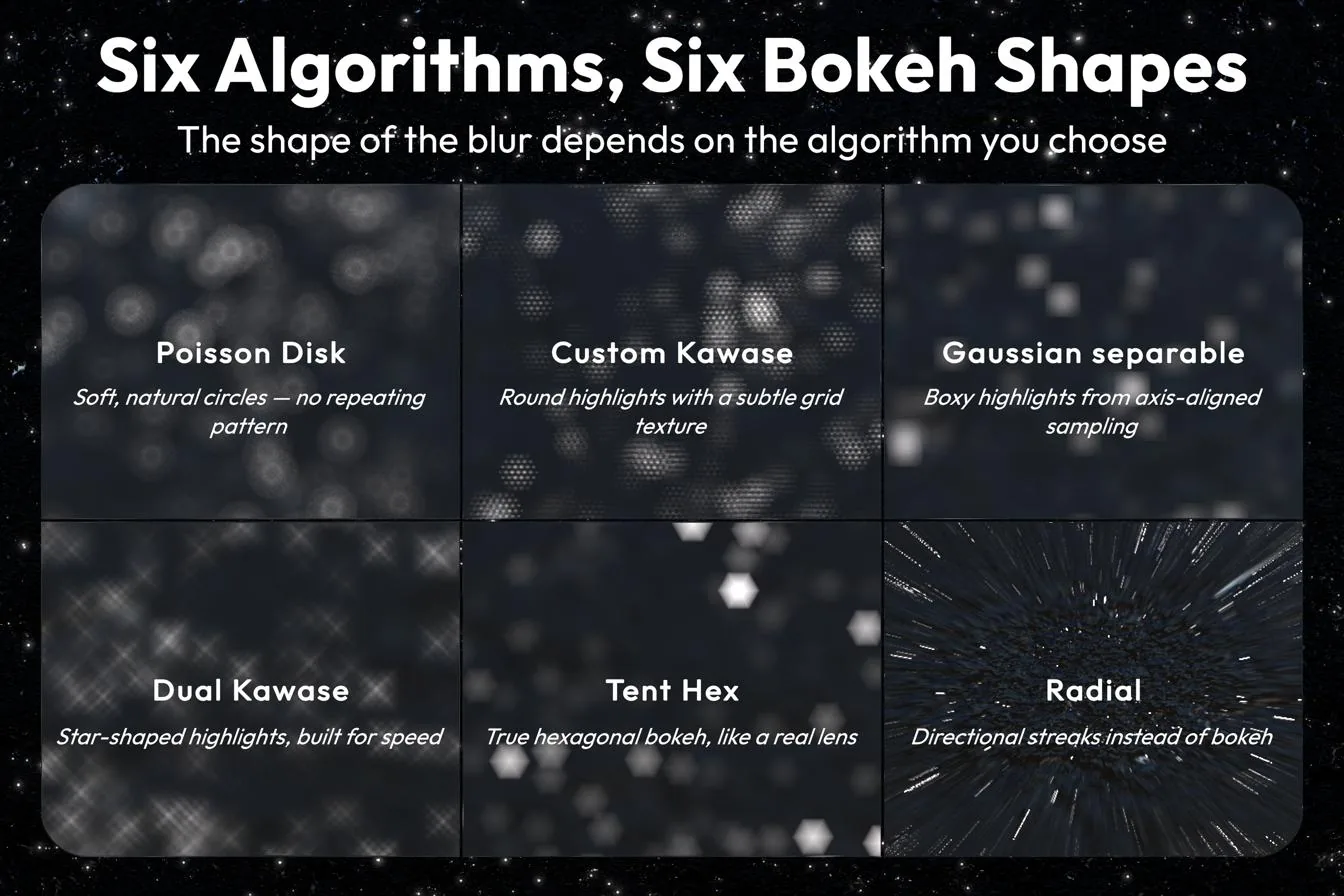
Actual bokeh shape per algorithm, at matched blur strength.
Performance
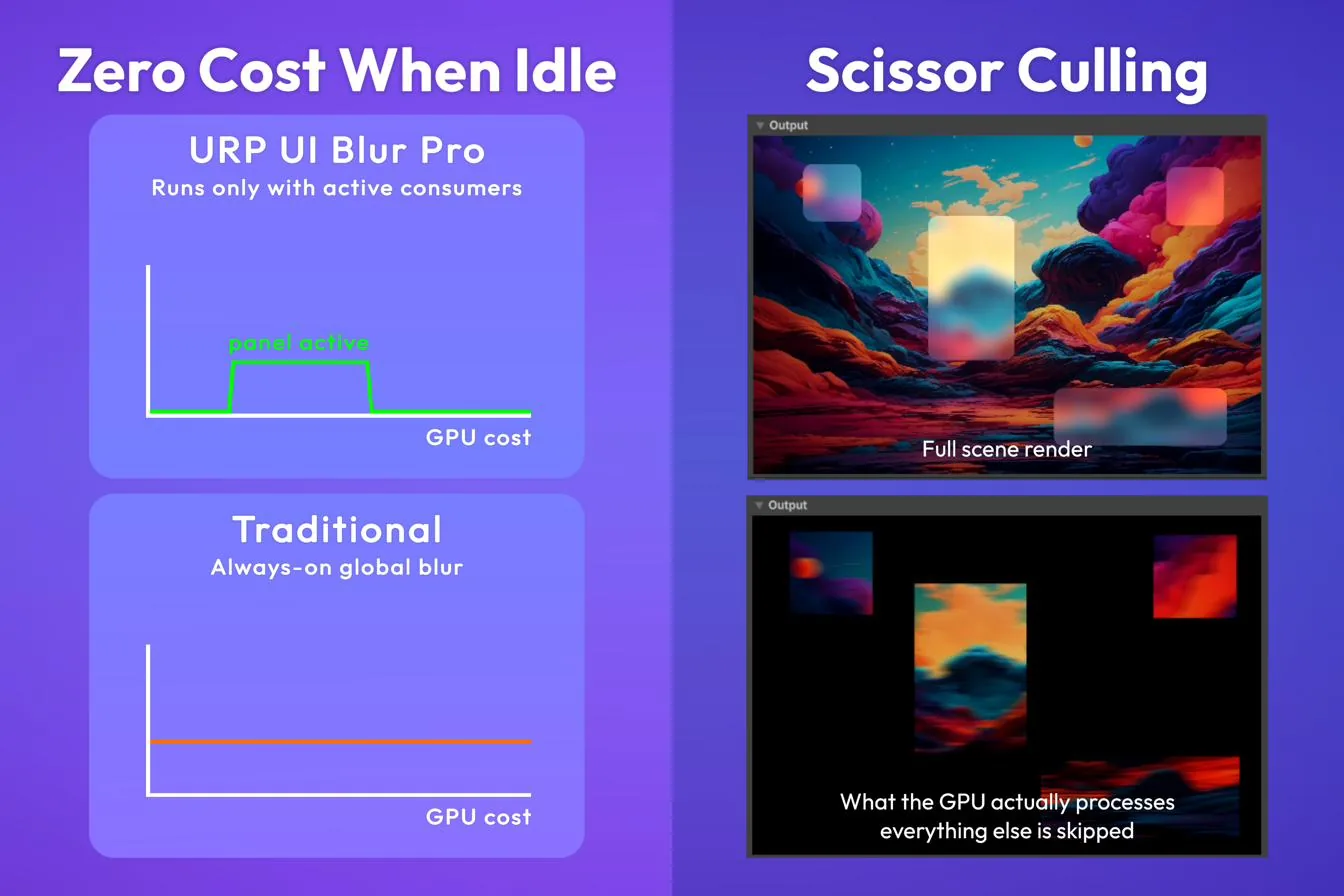
Scissor culling — the GPU only processes the pixels behind visible panels, not the full screen.
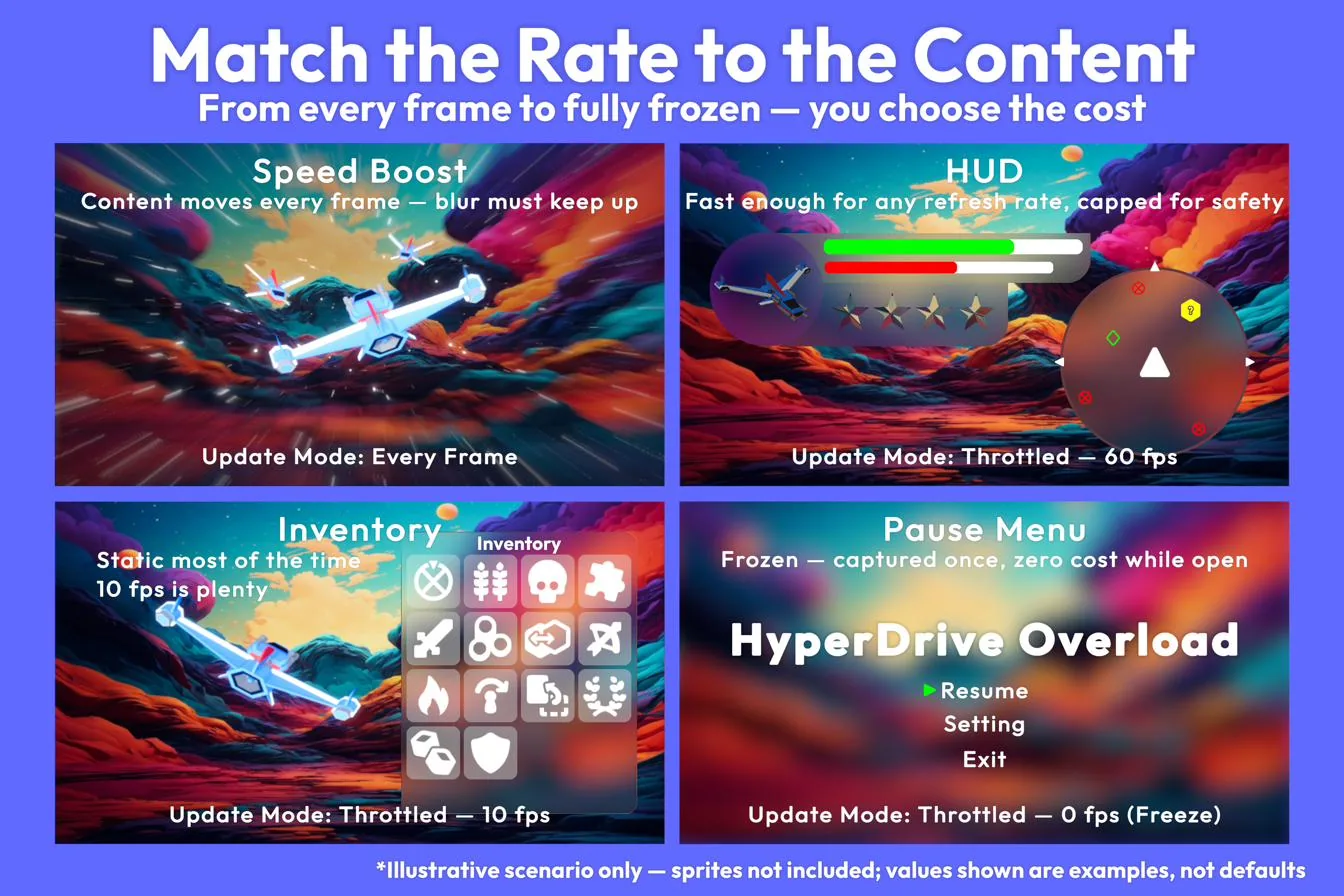
Update Mode — run every frame, throttle to a target fps, or freeze entirely for static panels.
What's included
Everything you need, nothing you don't
⬡Multiple simultaneous presets
Run Overlay, Camera, and World Space blur at the same time — each on its own RTHandle, fully isolated.
◈Native RenderGraph API
Built on URP 17+ RenderGraph from the ground up — no legacy command buffers, no camera stacking hacks.
⊕Frosted glass shaders
Two ready-made shaders:
UI_Blur_Universal for Canvas panels and WorldObject for 3D glass meshes with true IOR refraction.◎Resolution-independent scaling
Blur radius scales automatically with screen width — looks the same at 1080p and 4K without manual tweaking.
⌘Setup Wizard
One-click installation across all URP Renderer assets in your project. Working blur in under a minute.
⚡Runtime API
Toggle presets, fade intensity, and read parameters at runtime. Smooth blur transitions without one-frame pop-in.
Runtime API
Control blur from code
PauseMenu.cs
// Pause menu with blur fade — current BlurImage API
[SerializeField] BlurImage _blurImage;

void OpenMenu()
{
    gameObject.SetActive(true);
    _blurImage.FadeIn(0.4f);
    Time.timeScale = 0f;
}

void CloseMenu()
{
    _blurImage.FadeOut(0.3f);
    Time.timeScale = 1f;
}
Requirements
Tested on
| Requirement | Minimum | Notes |
|---|---|---|
| Unity version | 6000.0 (Unity 6) | Tested on 6000.0 (LTS), 6000.3 (LTS), 6000.4 (LTS) |
| Render pipeline | URP 17.0.0 | Requires RenderGraph mode |
| Platforms | All URP-supported platforms | PC, Mobile — VR/XR not tested and not officially supported |
Get started
Ready to ship your UI?
Available on the Unity Asset Store. Drop in, run the Setup Wizard, and have blur working in your project within a minute.